Disclosure: This article contains affiliate links. If you buy through these links, MediaBoxEnt may earn a small commission at no extra cost to you.
Snapshot
You can fix almost anything if you can see what is wrong. The problem is not always skill. A lot of the time, it is visibility. A good diagnostic tool turns guessing into confirmation.
This list is not about buying the most expensive bench possible. It is about building a bench that can answer real repair questions: is power present, is the rail noisy, is the serial bus alive, is the component cooked, and can the part be removed without destroying the board?
Multimeters
A multimeter is the first tool anyone in hardware should own. Voltage, current, continuity and resistance checks solve a shocking amount of repair work before you ever touch a scope.
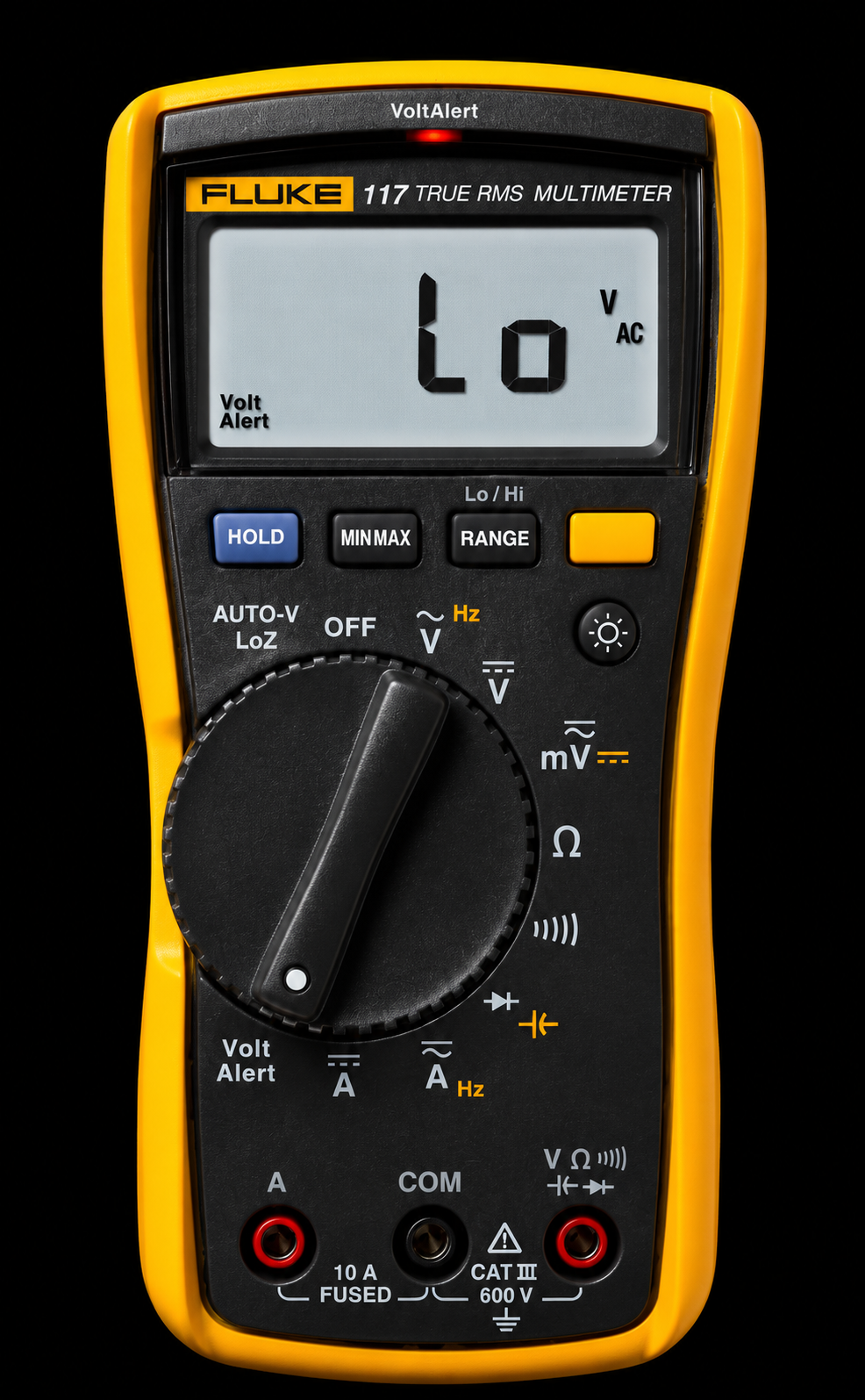
Fluke 117
True RMS - CAT III 600V
The industry standard for a reason. The 117 handles electrician-grade work and delicate PCB probing equally well. Non-contact voltage detection, AutoV/LoZ mode to kill ghost voltage readings, and a backlit display you can actually read in a dim server rack. Built like a brick. It will outlast most of the equipment you use it on.
Pros
- Excellent safety reputation
- Built for field and bench use
- LoZ mode helps avoid ghost readings
Cons
- Costs much more than budget meters
- 6000-count display is not the highest resolution here
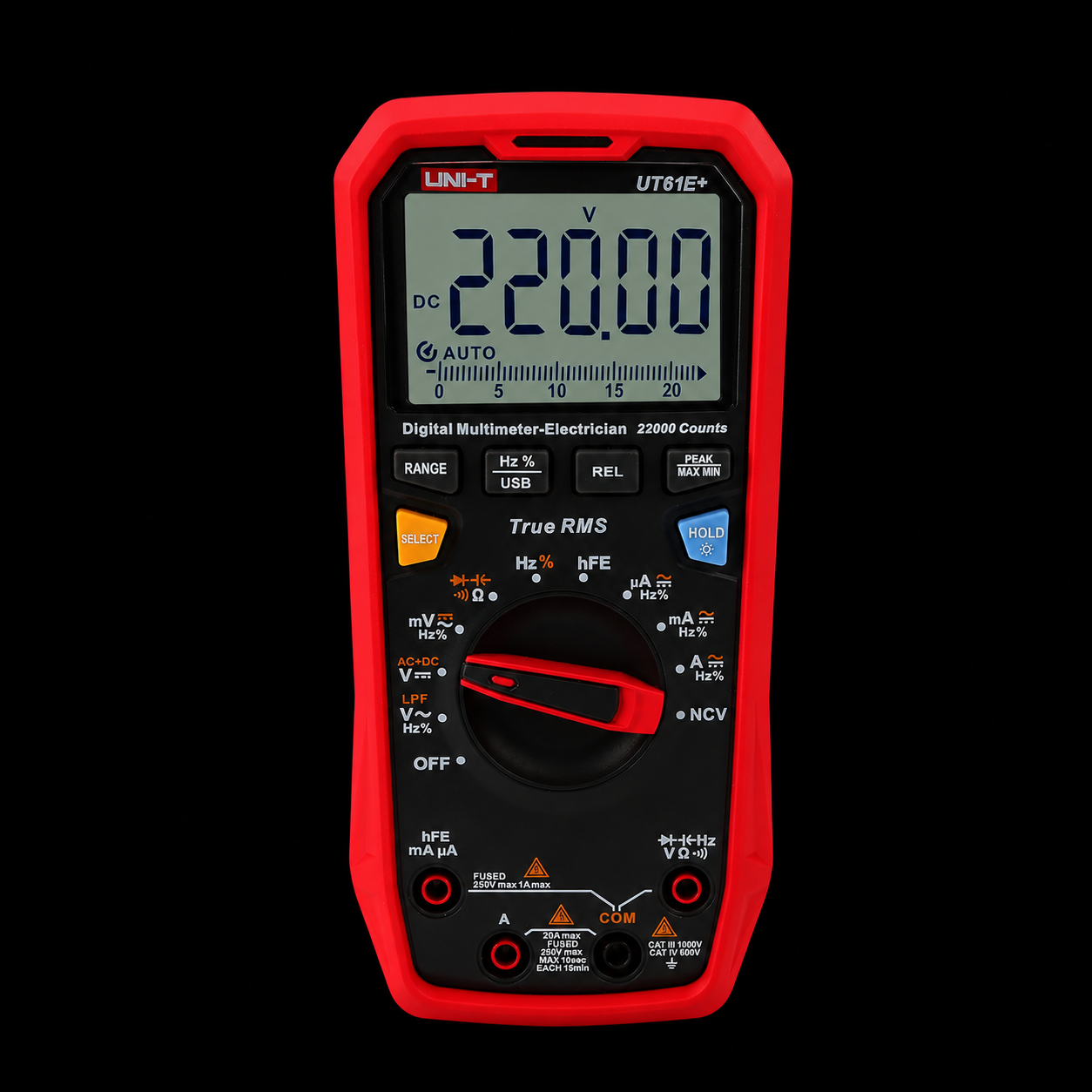
UT61E+ (UNI-T)
True RMS - PC Interface - Budget King
UNI-T punched well above its bracket with the 61E+. You get True RMS, 22000 count resolution, USB data logging, and solid CAT III safety. The bargain-oriented crowd has been running these for years without complaints. It's not Fluke but it's not trying to be, and for bench work on consumer electronics, it's more than enough.
Pros
- Strong specs-per-dollar
- High-count display
- USB logging for bench work
Cons
- Not as rugged as the Fluke
- Better as a bench value pick than a lifetime field meter
Oscilloscopes
A multimeter gives you a number. A scope gives you the shape of the signal over time. Noisy rails, ringing, PWM, boot timing and bus glitches live in that time domain.
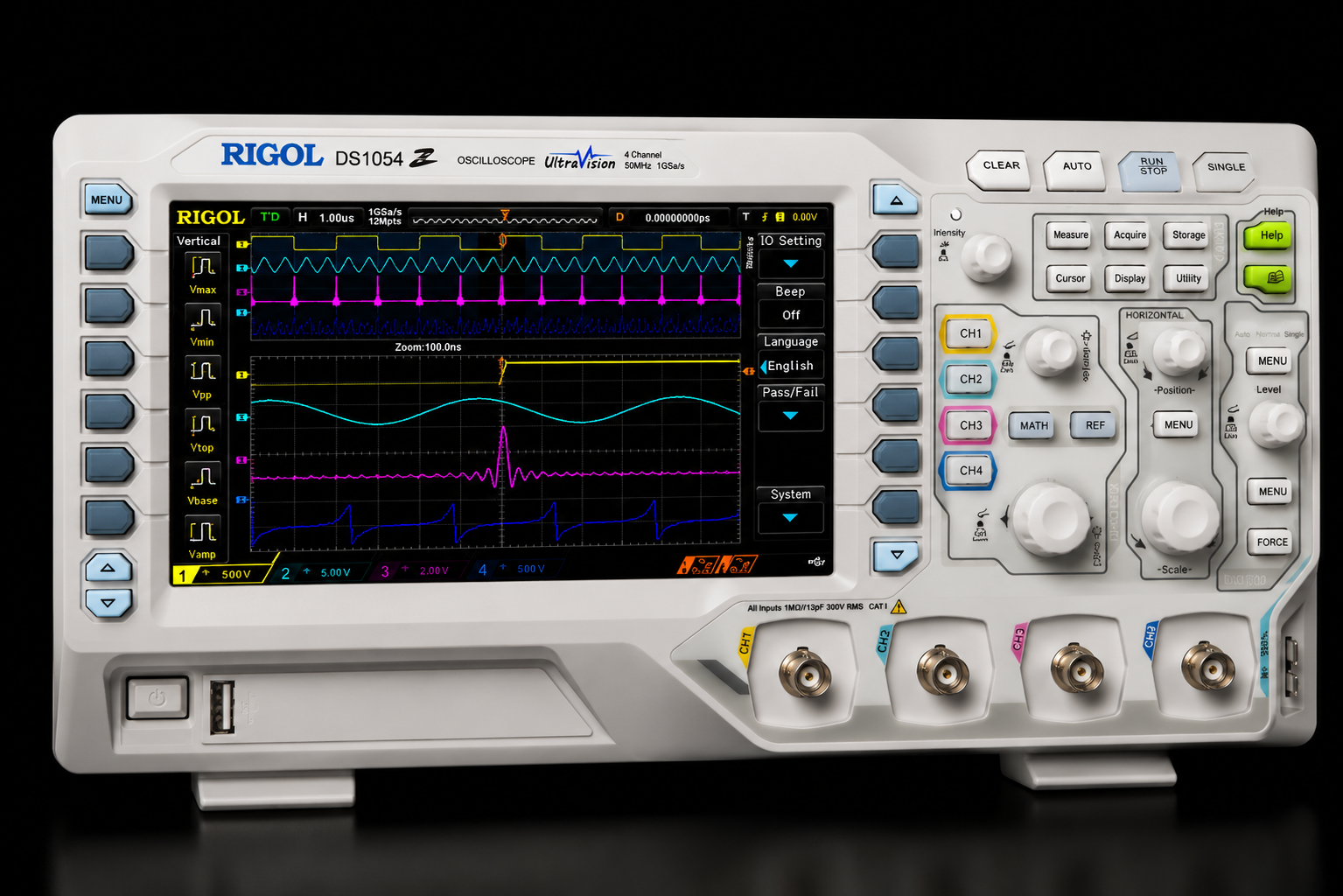
Rigol DS1054Z
4CH - 50MHz - 12MPts Memory
The DS1054Z became the default recommendation in hardware communities for a reason: four channels, deep memory, and a 7-inch display at a price that used to get you a two-channel 20MHz scope. It decodes I2C, SPI, UART and RS232 natively. The firmware hack that unlocks 100MHz bandwidth is widely documented, though Rigol has quietly made it harder on recent batches, so verify before you buy expecting it.
Pros
- Deep memory for capture analysis
- 4 channels in this price range is rare
- Large, clear display
- Strong community and resources
Cons
- UI feels dated compared to newer scopes
- Fan can be audible
- Bandwidth hack no longer guaranteed
Siglent SDS1104X-E
4CH - 100MHz - SPO Technology
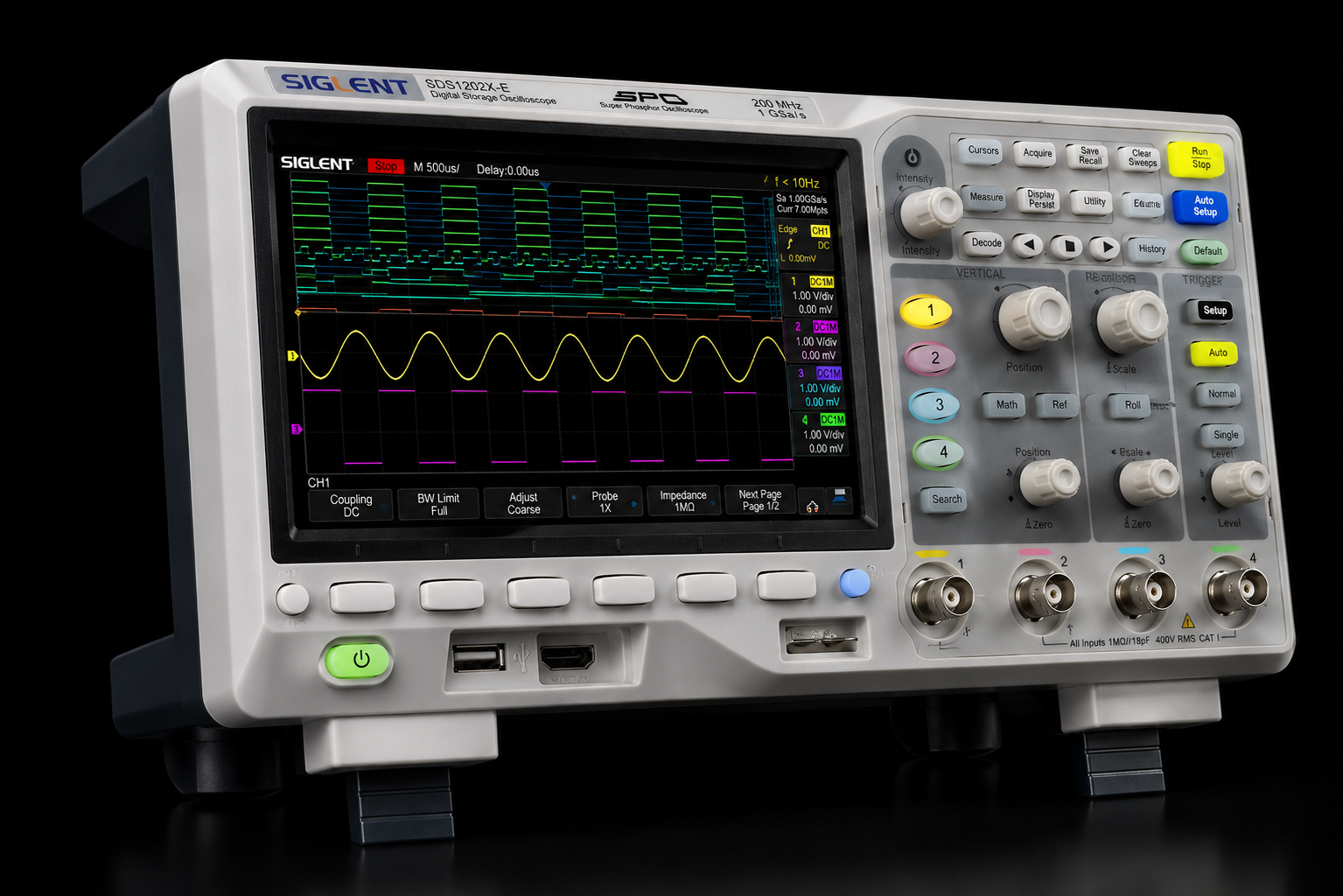
If you want 100MHz without the firmware lottery, the Siglent is the honest answer. Cleaner UI than the Rigol, 14MPts memory, and it ships with a logic analyzer input option (add-on required). The waveform display rendering is noticeably sharper. Worth the extra $150 if your budget has room.
Pros
- Native 100MHz bandwidth
- Cleaner interface than older entry scopes
- Sharp waveform rendering
Cons
- Costs more than the Rigol
- Logic analyzer input needs add-on hardware
Logic Analyzers
Logic analyzers are where digital debugging gets serious. When a scope shows that something is wrong on a serial line, a logic analyzer tells you which byte, which timing window and which transaction broke.
Saleae Logic Pro 8
8 channels - USB 3.0 - Pro Software
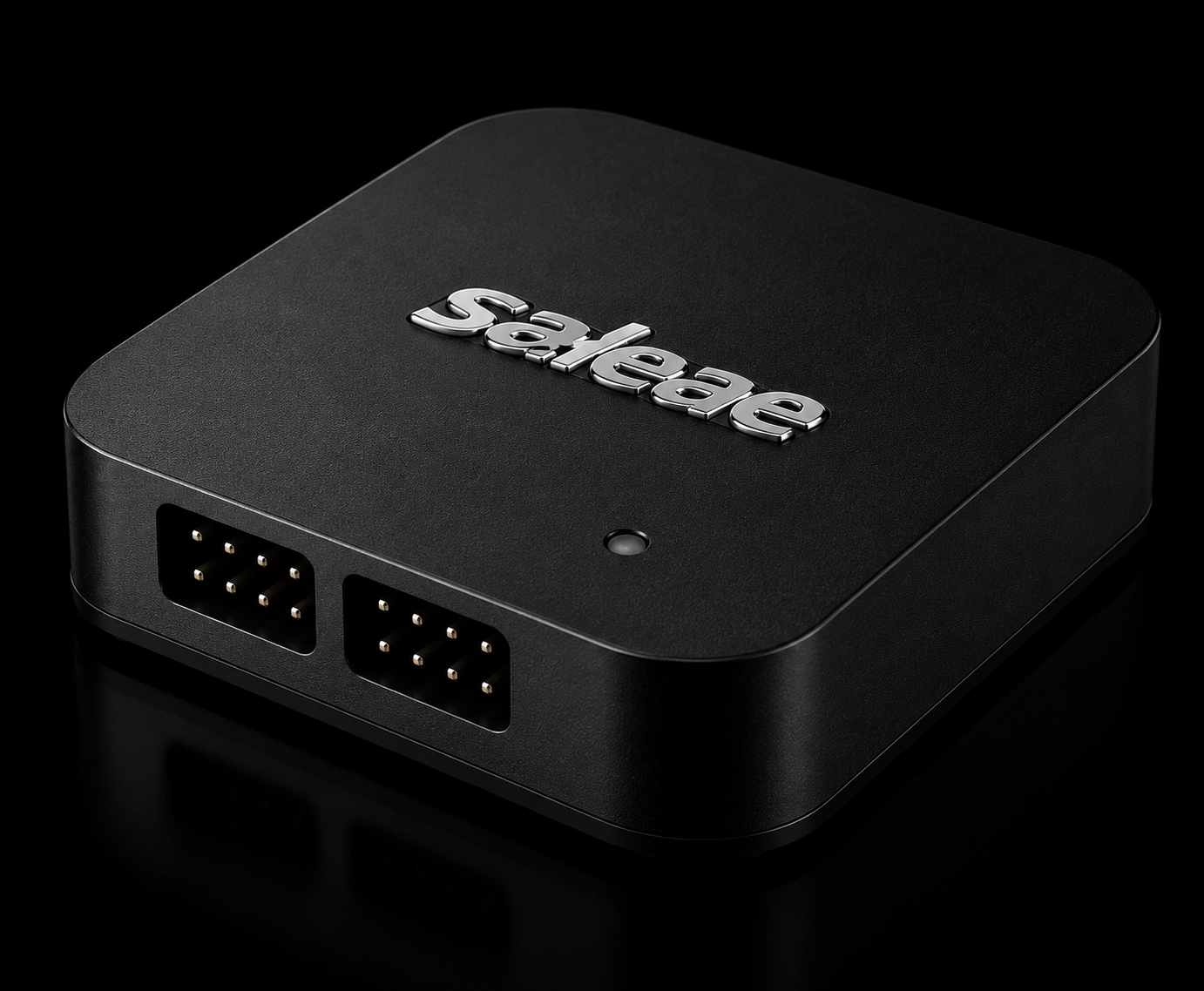
Saleae's software is in a completely different league. The Logic 2 app handles protocol decode for over 100 standards, supports plugins and extensions, and has a timeline UI that makes navigating millions of samples intuitive. The hardware is compact and USB-powered. If you spend real hours debugging embedded firmware, the software alone justifies the price delta over clones.
Pros
- Best-in-class software workflow
- Analog and digital capture
- Huge protocol decode ecosystem
Cons
- Very expensive compared to budget analyzers
- Overkill if you only decode occasional UART or I2C
DreamSourceLab DSLogic Plus
16CH - 400MHz - PulseView compatible
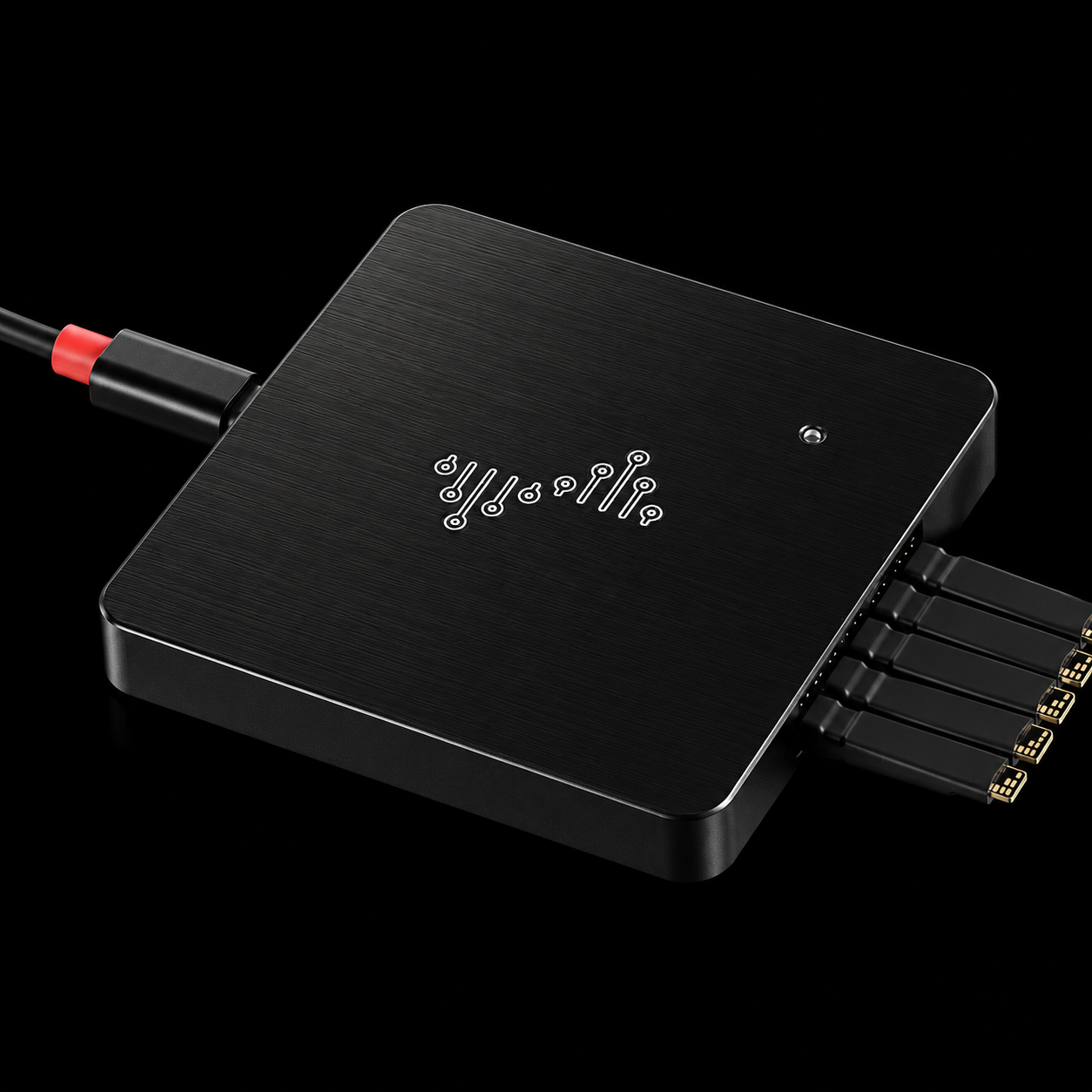
16 channels at 400MHz sampling for under $200 is genuinely impressive. DSView is capable enough, and it also runs with sigrok/PulseView for open-source purists. It will not match the Saleae's polish but covers most hobbyist and light-professional needs without a budget crisis. Great second tool if you already have a scope and need digital decode without going all-in on Saleae.
Pros
- 16 channels for under $200
- Works with DSView and PulseView
- Good budget path into digital debug
Cons
- Software is less polished than Saleae
- Not the premium workflow for heavy embedded debugging
Bench Power
A variable supply is less glamorous than a scope, but it can save a board. Current limiting, controlled startup and repeatable voltage tests are how you avoid turning a repair into a smoke test.
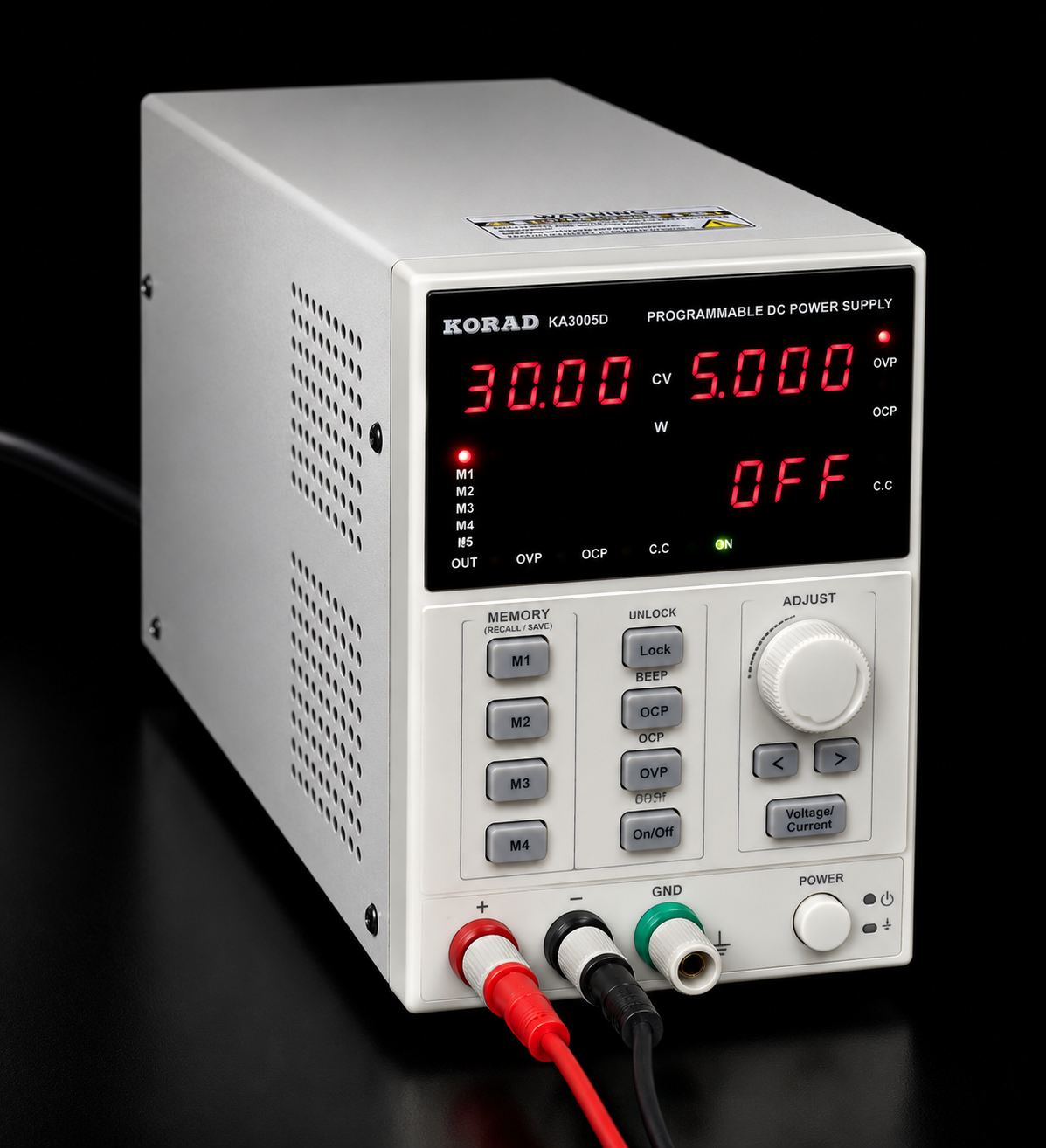
Korad KA3005P
30V / 5A - Programmable - USB Control
Complete, ready-to-use unit. Plug it in and it works. The KA3005P covers 0-30V and 0-5A with fine resolution knobs, a clean 4-digit display, and USB/RS232 control for scripting automated tests. It is the go-to recommendation for anyone who wants a proper bench supply without assembling anything. Solid build, reliable regulation, and a community that has been stress-testing these for years.
Pros
- Ready to use out of the box
- Current limiting for safer board power
- USB/RS232 control for automated tests
Cons
- Lower voltage ceiling than the RD module
- Traditional interface, not as modern as touchscreen modules
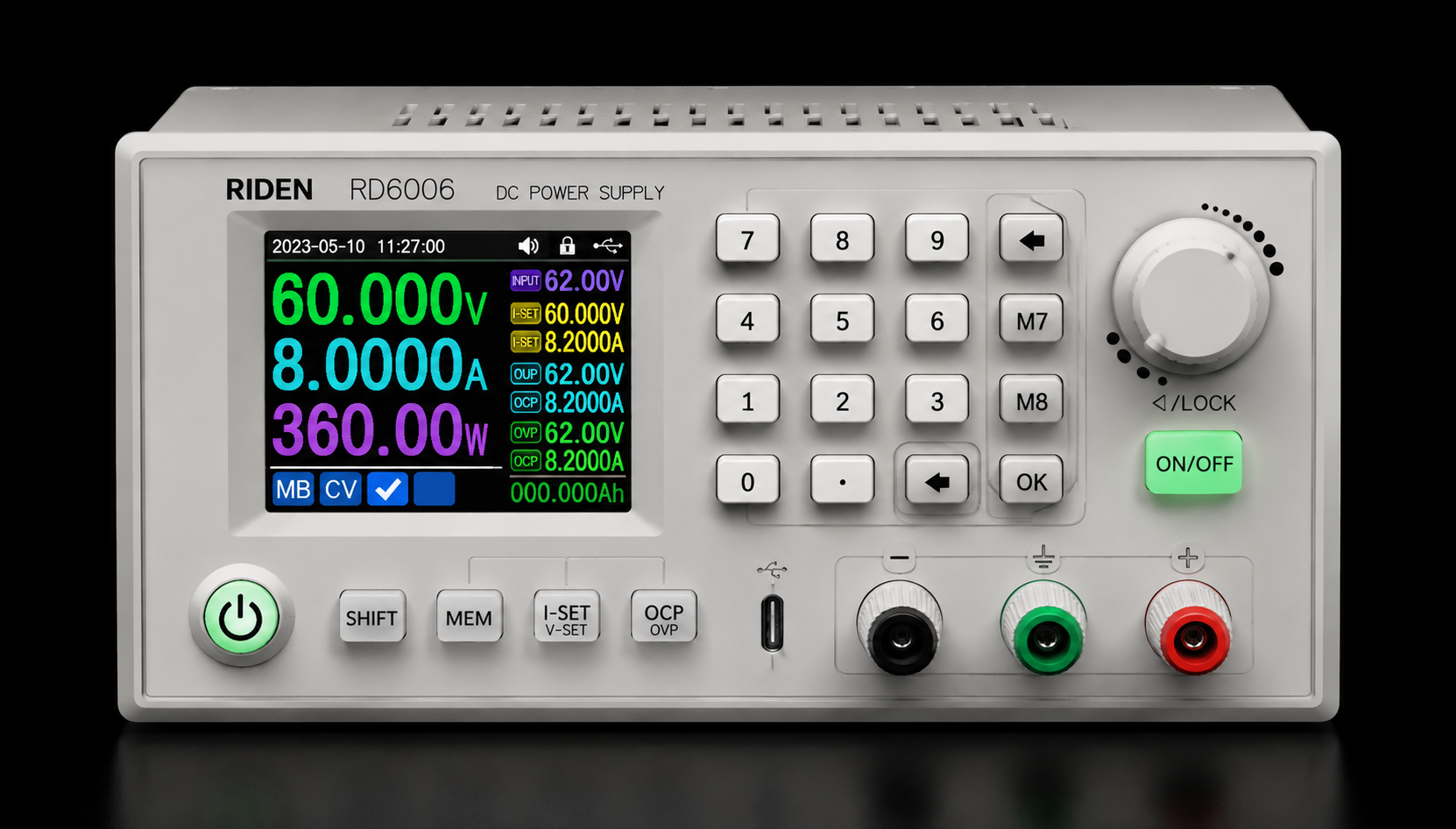
RD RD6006PW
60V / 6A - Buck Module - Built-in WiFi
This is a buck converter module, so you need to pair it with an AC-DC power brick, typically 12-65V input. The payoff: 60V/6A output, a color touchscreen, built-in WiFi for remote control, data logging, and specs that embarrass supplies three times the price. If you are comfortable building a simple enclosure or already have a suitable transformer lying around, the RD6006PW delivers exceptional performance per dollar.
Pros
- Excellent spec level for the price
- Modern color screen and WiFi control
- Great for DIY bench builds
Cons
- Module only, not plug-and-play
- Requires external AC-DC power and enclosure planning
Soldering & Rework
Diagnostic tools tell you where the problem is. Soldering and rework tools let you fix it. Temperature control, thermal recovery and safe airflow matter more than people admit.
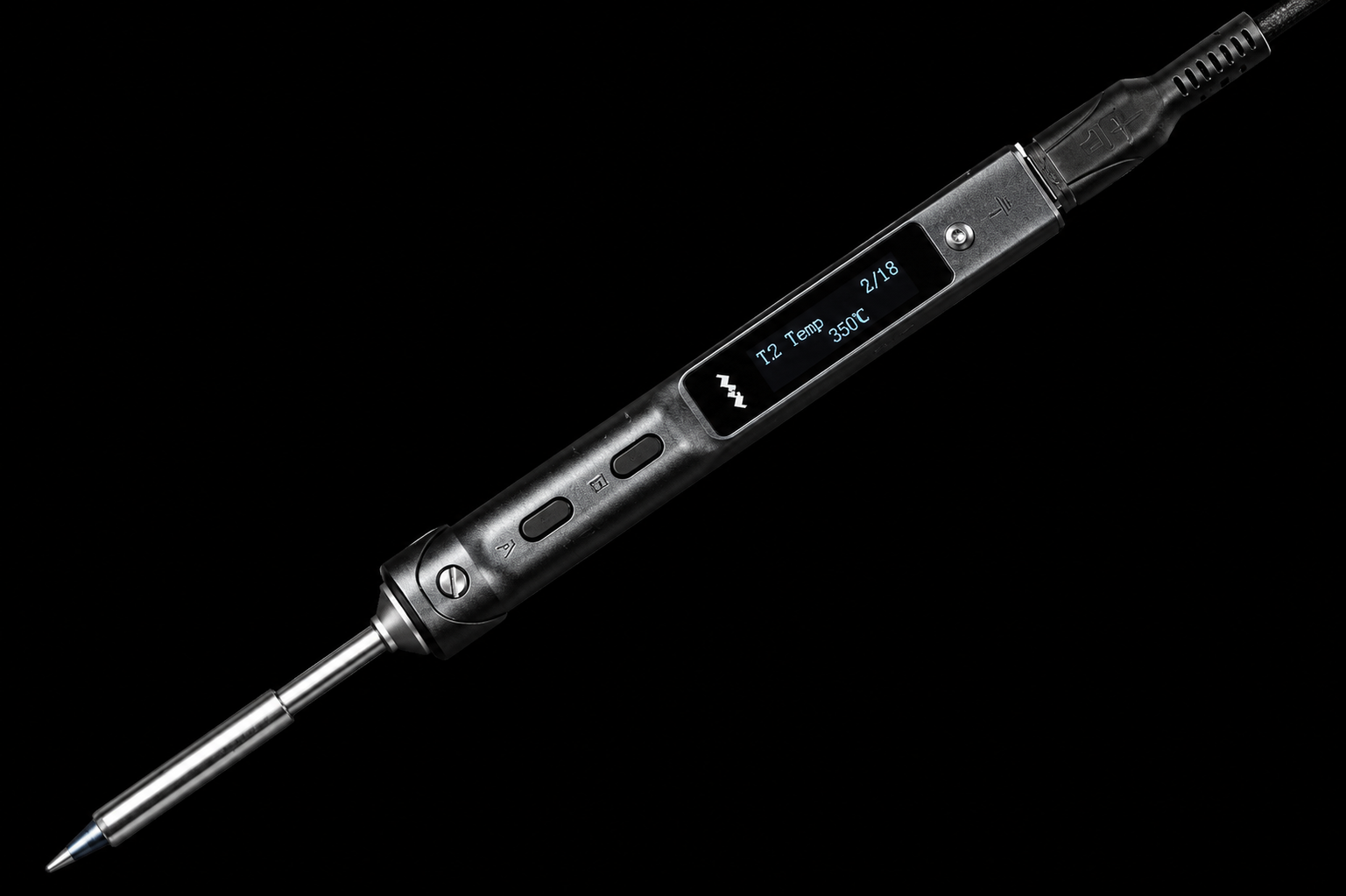
TS101
Miniware - USB-C Powered - Portable
USB-C powered, 65W, heats to 300C in under 10 seconds. The TS101 replaced desktop stations on a lot of benches, and that is how good it is. PD power delivery means any decent USB-C charger or power bank runs it. The companion app lets you tune temperature curves and sleep behavior. Tip variety is excellent. This is the iron you take everywhere and also leave on the bench.
Pros
- Portable and USB-C powered
- Fast heat-up
- Great tip variety and configurable behavior
Cons
- Depends on a good PD power source
- Not a full hot-air or heavy rework station
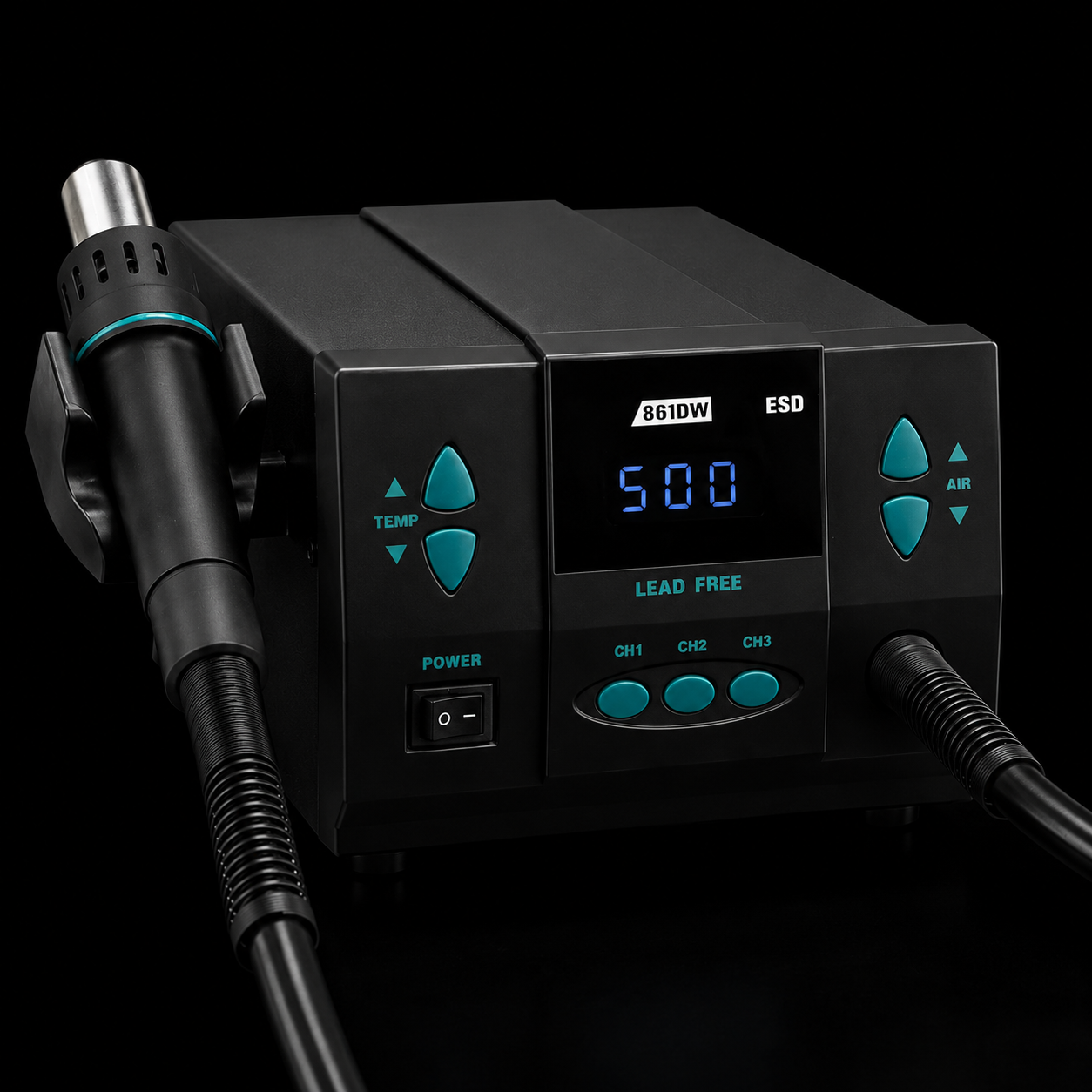
Quick 861DW
Hot Air Rework - 1000W - Digital
Hot air is essential the moment you start working with SMD components, BGA reballing, or removing IC chips without frying neighbor components. The Quick 861DW hits 500C, has good airflow control, and the auto-sleep when you holster the wand is a genuine safety feature. Pair it with low-melt solder and a flux pen for BGA work on Android TV boards and phone motherboards.
Pros
- Strong airflow and temperature range
- Auto sleep is genuinely useful
- Good fit for SMD removal and rework
Cons
- Requires practice to avoid overheating boards
- Not a substitute for proper preheating on difficult jobs
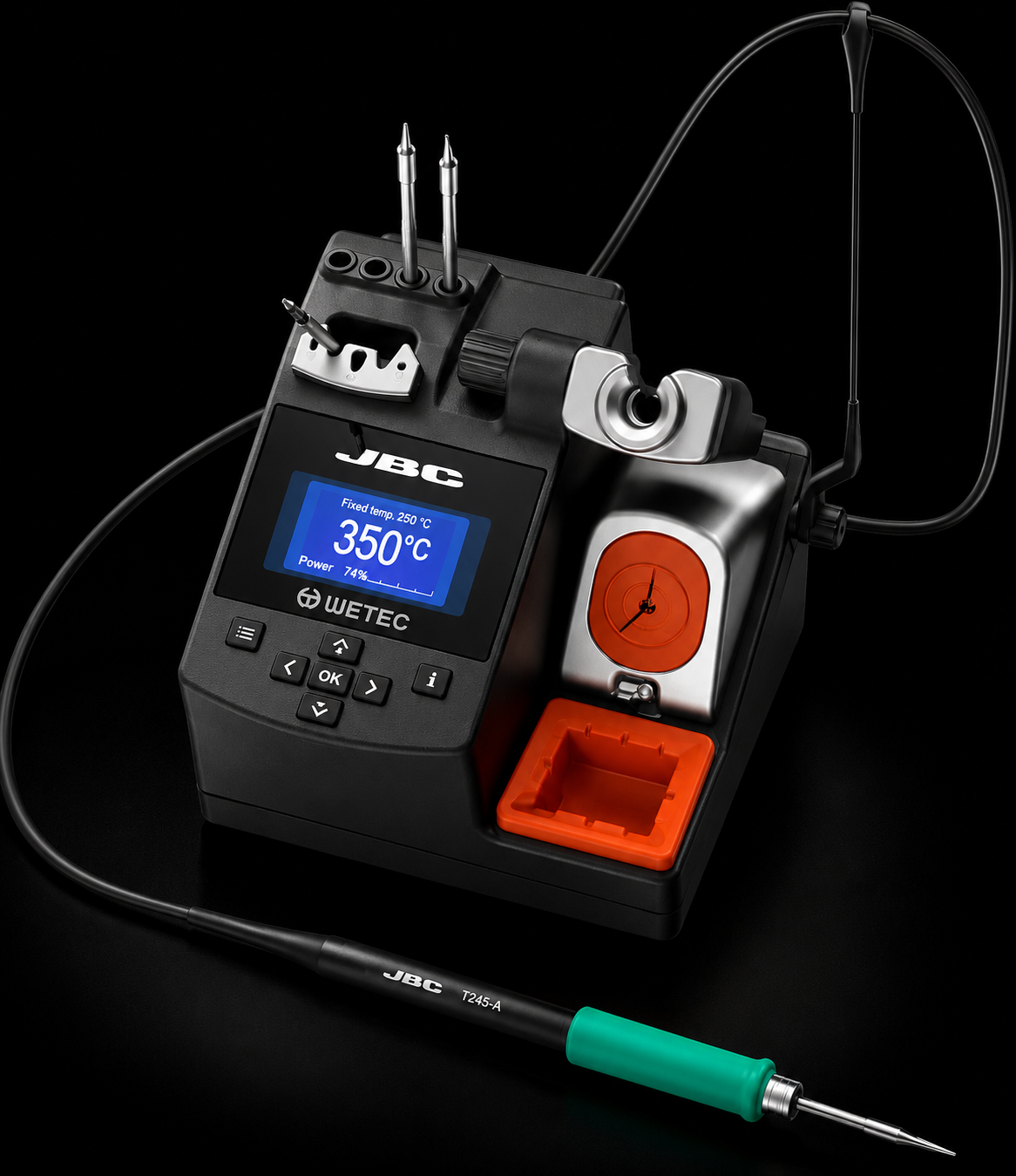
JBC CD-2BQF
JBC Tools - Precision Station - Hibernate System
JBC is the name in professional electronics repair, the kind of station you find in aerospace and medical device manufacturing. The CD-2BQF uses JBC's patented heating system to reach working temperature in under 2 seconds, and the Hibernation Mode drops the tip to a safe holding temp the instant you set it down, dramatically extending tip life. Thermal recovery on continuous soldering is in a completely different league from any iron under $300. If you are doing high-volume SMD work, repair on expensive boards, or working with lead-free alloys that demand tight thermal control, this is the station that makes it effortless.
Pros
- Elite thermal recovery
- Fast heat-up and hibernation system
- Excellent for lead-free and high-volume work
Cons
- High price
- Too much station for occasional hobby work
Quick Reference
A complete starter bench can be as simple as a strong multimeter, an entry scope, a safe power supply and a good iron. Add logic capture and hot air when your repairs start crossing into digital buses and SMD rework.
| Tool | Category | Listed Price | Best For |
|---|---|---|---|
| Fluke 117 | Multimeter | $252 | Pro field and safe general repair |
| UNI-T UT61E+ | Multimeter | $95 | Bench value and data logging |
| Rigol DS1054Z | Oscilloscope | $349 | General signal diagnostics |
| Siglent SDS1104X-E | Oscilloscope | $499 | Higher headroom embedded work |
| Saleae Logic Pro 8 | Logic analyzer | $999 | Professional protocol debugging |
| DSLogic Plus | Logic analyzer | $187 | Budget digital capture |
| Korad KA3005P | Bench PSU | $155 | Ready-to-use current-limited power |
| Riden RD6006PW | Bench PSU module | $120 | DIY high-spec supply builds |
| TS101 | Soldering iron | $70 | Portable soldering and daily use |
| Quick 861DW | Hot air | $159 | SMD removal and rework |
| JBC CD-2BQF | Soldering station | $659 | High-volume precision work |
Frequently Asked Questions
The Bottom Line
Do not buy the most expensive tool first. Buy the tool that tells you the next truth. A solid multimeter, a real scope, a safe power supply and a good iron will beat a drawer full of mystery gear every time.
The upgrade path is simple: measure first, observe waveforms second, decode digital traffic third, then invest in better rework gear when your repairs demand cleaner thermal control.
Send it to your network. Pass this article to someone building a repair bench, buying their first scope or trying to stop guessing at board faults.
- MediaBoxEnt Team
Comments
Comments
Join the conversation below.
Hot take: is a pro bench really about expensive tools, or do most people use premium gear to hide weak troubleshooting habits?